A reliable a2 hosting login is the doorway to websites, email accounts, billing tools, and server controls. When that doorway fails, the cause may be simple, such as an outdated password. It may also involve browser cookies, two-factor authentication, account locks, or network restrictions. A small error can feel surprisingly disruptive.
The Verizon 2024 Data Breach Investigations Report found that the human element appeared in 68% of analyzed breaches. That finding matters here. Reused passwords, rushed recovery attempts, and overlooked security prompts can all create login friction. The 2024 IBM Cost of a Data Breach Report also reported a global average breach cost of $4.88 million. Strong access habits are not optional anymore. They are practical protection.
Paul A. Grassi, a recognized NIST digital identity specialist, wrote, “Digital identity is the unique representation of a subject engaged in an online transaction.” His point applies directly to an a2 hosting login: access depends on verifying the right person through several connected controls. The seven fixes in this guide examine those controls, from password recovery and browser cleanup to two-factor authentication and support escalation. Some solutions are obvious. Others are easy to miss. That is the uncomfortable part. A user may blame A2 Hosting when the real issue is local cache data, an incorrect system clock, or a blocked authentication message. Careful testing beats guesswork. This guide offers practical steps, but no troubleshooting method is perfect. Conditions change, and your exact account setup may require a different response.
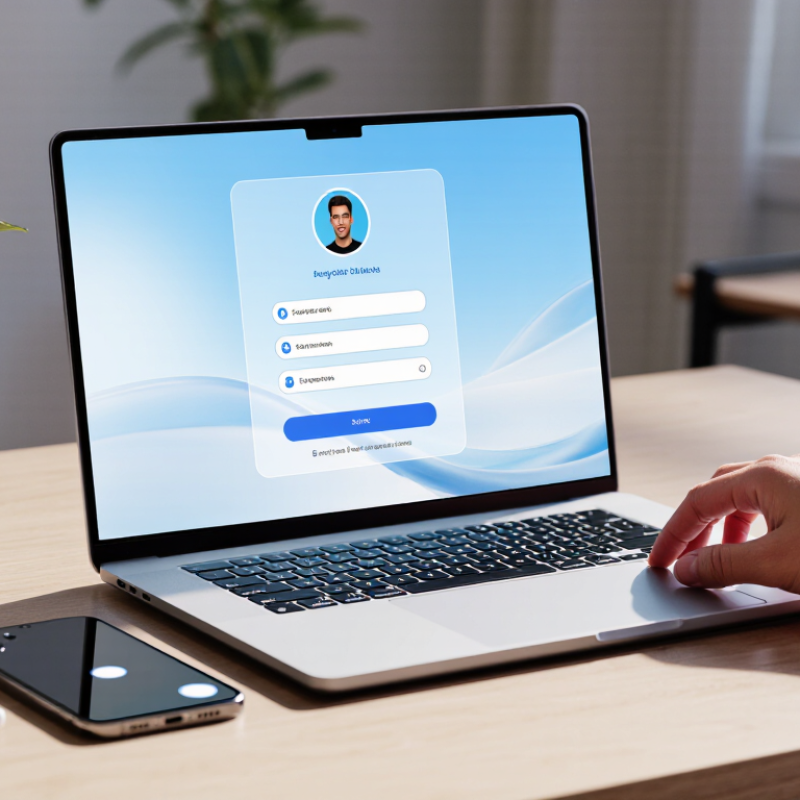
When a hosting login fails, identify the cause before changing everything. Check the login address, username, and password manually. A saved password may be outdated. Clear only the site’s cookies, then test a private browser window. If possible, try a different network, such as mobile data. This separates account errors from local browser or DNS problems.
The Microsoft Digital Defense Report recorded more than 4,000 password attacks per second in 2023. Verizon’s 2024 Data Breach Investigations Report also found a human element in 68% of breaches. Therefore, inspect recent account alerts, failed-login notices, and multi-factor authentication prompts. A phone with the wrong time can reject valid codes. It happens.
Check whether the account is locked, the IP address is temporarily blocked, or the control panel is experiencing an outage. Review official status information before repeatedly retrying; repeated attempts may extend a security lock. IBM’s Cost of a Data Breach Report 2024 identified compromised credentials as one of the leading initial access methods. Reset the password through the verified recovery process, not through an unfamiliar email link. Keep notes of each test. My own troubleshooting preference is to change one variable at a time, although impatient resets can feel faster. If every browser and network fails, provide support with the exact error, timestamp, public IP, and affected username. Avoid sending passwords.
Many hosting login failures begin with small credential mistakes, not a server outage. Check the exact email address linked to your account. A missing letter or extra space can block access. Type the password manually once. Saved passwords may contain an outdated character.
Use the official login page, and inspect the address before entering details. Browser bookmarks can point to an old or incorrect page. If you recently changed your password, test the new one in a private browser window. This avoids confusion from cached sessions and auto-filled credentials. Do not repeatedly guess passwords. Temporary security locks may follow several failed attempts.
Check your keyboard layout, Caps Lock, and password manager entry. These details sound obvious. They still cause many support cases. Confirm that your verification email reaches the correct inbox, including spam and filtered folders. If two-step verification is enabled, compare your device time with network time. An incorrect clock can invalidate security codes. Recovery codes should remain private and stored offline.
I would also review the account email carefully. Sometimes a user remembers the billing email, not the login email. That distinction is easy to miss. If the reset message never arrives, request it once and wait several minutes. Repeated requests can create multiple codes and more confusion. Contact support only through the official help channel, and provide the error message without sharing your password or verification code.
Reset Your Password and Recover Your Hosting Account
Login problems often begin with a forgotten password, an outdated email address, or a locked security session. Open the official hosting login page and select the password recovery option. Enter the email linked to your account carefully. Check your spam, promotions, and trash folders if the message does not arrive within several minutes. Use the reset link only through the official website. A familiar screen is safer than a random email link.
Create a long, unique password with words, numbers, and symbols. Avoid reusing one from your email account. After signing in, review your contact email, recovery details, and multi-factor authentication settings. If you no longer control the original email, contact official support through the provider’s verified website. Explain the problem clearly and prepare billing details or account ownership information. Never send your full password. Support teams should not need it. I have seen users repeat reset requests too quickly, which can create confusion or trigger temporary security blocks. Waiting calmly is sometimes the better move.
Tips: Try a private browser window. Clear old cookies. Check your keyboard language. Save the new password in a trusted password manager. If recovery still fails, record the exact error message and time. That small detail can help support identify the problem faster. Some instructions may feel obvious, but missed details often cause the longest delays.
| No. | Login Problem | Recommended Action | How to Perform It | Typical Result | Security Note |
|---|---|---|---|---|---|
| 1 | Forgotten password | Use the password-reset option | Open the account sign-in page, select the password recovery link, enter the registered email address, and follow the instructions in the reset message. | Access is restored after a new password is created. | Create a unique password with at least 12 characters and avoid reusing it elsewhere. |
| 2 | Reset email does not arrive | Check filtered and alternate mail folders | Review the spam, junk, promotions, and quarantine folders. Search for messages containing terms such as “password” or “reset.” | The recovery message may become visible or can be requested again. | Do not share a reset link; it can provide direct access to the account. |
| 3 | Incorrect email or username | Verify the account identifier | Check previous billing records, account notifications, saved password entries, or the original registration confirmation for the exact email address. | The correct recovery workflow can be used. | Never guess credentials repeatedly when an account-lockout policy may apply. |
| 4 | Browser cache or cookie conflict | Try a private window or clear site data | Open a private browsing window first. If the login works, clear cookies and cached files for the affected site, then restart the browser. | Stale sessions and invalid cookies are removed. | Clearing cookies may sign you out of other websites. |
| 5 | Blocked scripts or extensions | Disable interfering browser tools | Temporarily disable ad blockers, privacy extensions, password managers, or script-blocking tools, then reload the login page. | The sign-in form may load or submit normally. | Re-enable extensions individually after testing to identify the conflict. |
| 6 | Two-step verification failure | Check the verification method and device time | Confirm that the code is current, enable automatic date and time on the device, check the registered phone or authenticator, and use an approved backup method if available. | A valid verification code is accepted. | Never disclose verification codes to another person. |
| 7 | Account locked or recovery unavailable | Contact verified account support | Use the official support channel and provide account ownership details requested through the secure verification process. | The account can be reviewed and, where appropriate, unlocked or recovered. | Do not send full passwords, payment-card numbers, or authentication codes. |
Hosting login failures often begin outside the hosting platform. In support work, I check the browser before resetting credentials. Clear old cookies, disable extensions, and open a private window. Then update the browser and confirm the login page uses HTTPS. The Digital 2024 Global Overview Report recorded mobile devices as 59.4% of worldwide web traffic. A desktop-only fix can therefore miss many real users.
Test another device, preferably a phone and a computer on different networks. Restart the router, switch from Wi-Fi to mobile data, and check whether other websites load. The 2024 Internet Resilience Index shows that local connectivity weaknesses still affect online access worldwide. If the login works on mobile data, your home network, DNS settings, firewall, or VPN may be responsible. I have seen users reset passwords repeatedly when the connection was actually timing out. That mistake is easy to make.
Tips: Check the system clock. An incorrect time can break secure sessions. Try one browser without extensions. Record the exact error and time. Avoid repeated attempts for several minutes, because automated security controls may temporarily limit access. If nothing changes, test a trusted network and review service-status information. My own process is not perfect; cached DNS can remain after a restart, so I sometimes flush it and test again.
Persistent hosting login errors need more than repeated password resets. Check your email address, account status, browser cookies, and two-factor authentication device. Then record the exact error, time, network used, and recent account changes. This evidence helps support staff reproduce the problem faster.
Contact hosting support when the issue continues across two browsers or networks. Use the official support portal, verified email address, or published phone channel. Never send your password, recovery codes, or full payment details. The 2024 Data Breach Investigations Report found that human involvement appeared in 68% of breaches. Small communication mistakes can therefore create serious risk. The 2024 Cost of a Data Breach Report reported a global average breach cost of 4.88 million dollars. Login support should be careful, not rushed.
Tips: Take a screenshot with private data hidden. Mention whether website access still works. Ask support to check account locks, authentication logs, and service status. Keep the ticket number. If support requests unusual information, pause and verify the request through the official channel. Many users blame themselves too quickly; sometimes a regional outage, expired session, or incorrect server time causes the failure. I have seen troubleshooting guides overfocus on passwords. That is imperfect. A short timeline often reveals more than another reset.